

This article contains affiliate links. If you make a purchase through these links, we may earn a small commission at no extra cost to you. This helps support our work in creating free travel guides.
Before you fly to China, set up one app: Alipay (支付宝, Zhīfùbǎo). Once you land, it's how you'll pay for almost everything — the taxi, the convenience store, the corner noodle shop. And it takes foreign cards. Officially the list covers Visa, Mastercard, JCB, Diners Club and Discover, with the add-card screen showing the latest lineup. Plan on about 10 minutes, your passport, and one working card. Below: which cards actually work, how to register and bind, what it costs, what to try when binding fails, and your backups if it never works.
Which foreign cards work
The official list has five names: Visa, Mastercard, JCB, Diners Club and Discover — and before you bind anything, check the "Add card" screen in the app for the latest version. That screen is always more current than any guide.
What about American Express? Some travel sites say it works. The official payment guide for foreign visitors doesn't list it. So treat Amex as a maybe — verify it on the add-card screen yourself, and lead with a Visa or Mastercard if you have one.
Choosing between your own cards? A credit card from a major bank is the safest bet. Debit cards are hit or miss — some bind fine, some fail and never tell you why. Prepaid and virtual cards are the least reliable of all. If your wallet holds several cards, start with the boring mainstream one.
Setting up: registration and binding
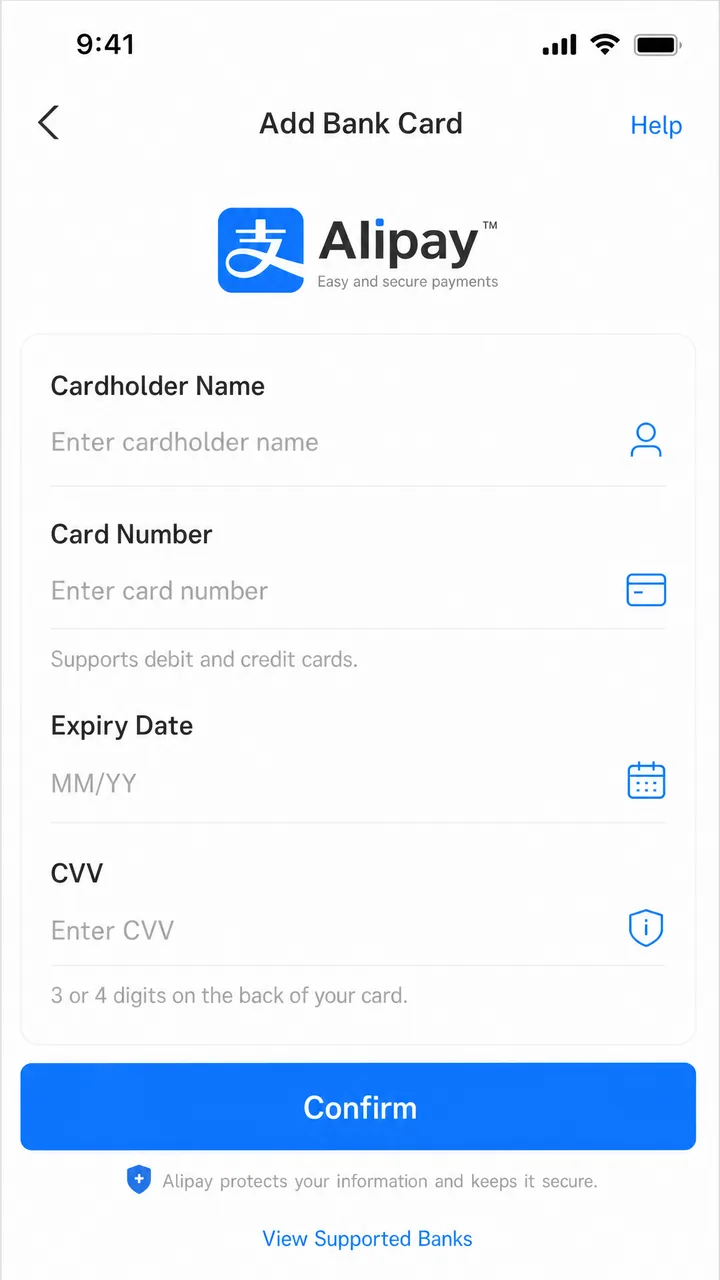
The setup itself is short. First, download Alipay and register with your mobile number — an international number works. Then go to bank cards, tap "Add Now", and follow the prompts. One more step comes before your first payment: the app will ask you to submit your passport for identity verification. Do that part as soon as you're asked, not later.
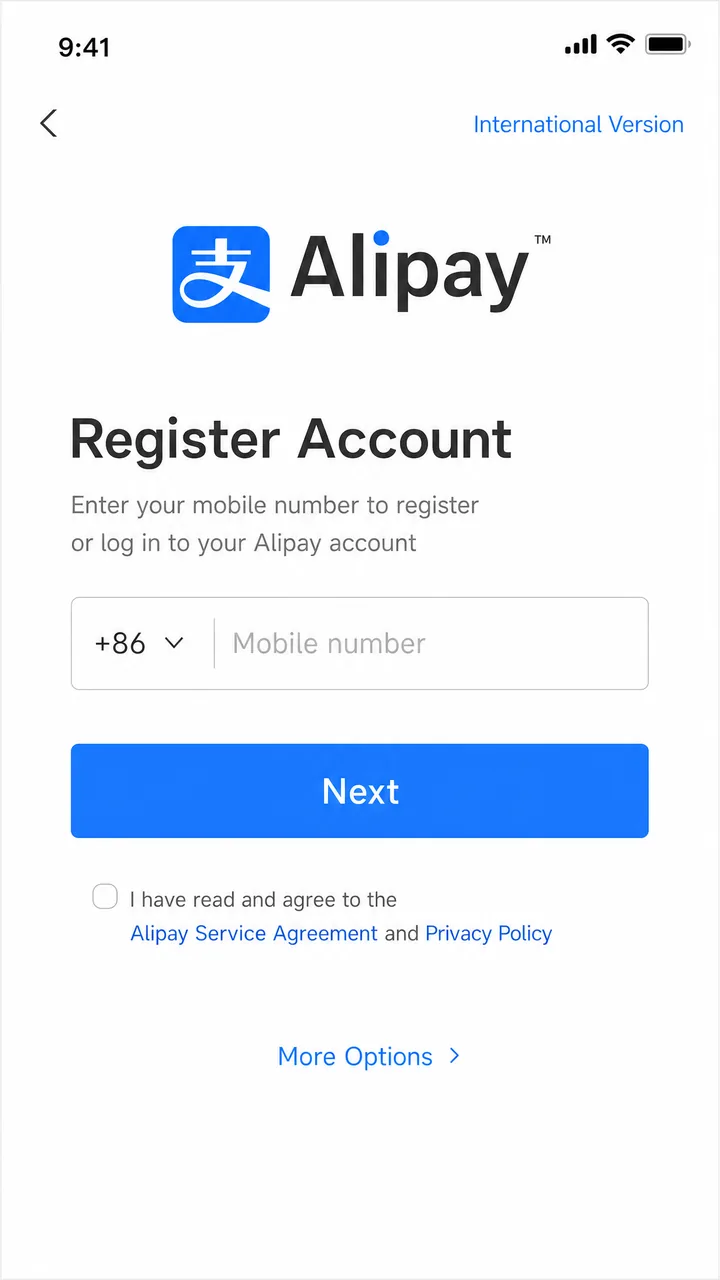
Two things you do not need: a Chinese bank account, and a Chinese phone number. The international registration flow is designed for visitors. The comfortable way to do all of this is at home, on Wi-Fi, a few days before departure. If you leave it until you land, you'll need mobile data before anything else works — an eSIM from Airalo installed before the flight saves you hunting for airport Wi-Fi with your luggage in tow.
Fees and limits
Fees first. Whatever the current rate is, you'll see it before you pay: the fee for any payment shows on the confirmation screen before you commit, so check there for the number that counts. For a sense of scale, WeChat Pay's latest published policy for foreign cards waives fees on transactions under 200 RMB and charges 3% above that. Alipay works out similarly in practice. Most small everyday buys — a coffee, a bowl of noodles, a taxi ride — fall under a line like that anyway. And past it, 3% means an extra 3 RMB on every 100 RMB — check the exact figure on the confirmation screen. You'll barely notice it on lunch money.
Two more costs hide outside the app. The first comes from your own bank: it may add a foreign-transaction fee of roughly 1-3% on top of anything Alipay charges, so check your card's terms before the trip. If your card does charge it, the usual fix is a multi-currency travel card like Wise or Revolut. They're built for spending abroad, and plenty of travelers bring one as their dedicated China card. The second cost is the exchange rate. Alipay doesn't set it — your card network and issuing bank do, and the final rate appears on your card statement.
Now the limits. After China's central bank raised the caps for foreign visitors, fully verified users can spend up to $5,000 per transaction and $50,000 per year through mobile payment platforms. On a normal trip you won't get anywhere near those numbers. The catch is the word "verified": without full identity verification, the annual cap is reported to be around $2,000. That one you can hit — hotels and shopping add up fast. One more reason to finish passport verification early, not halfway through your trip.
If binding fails
Sometimes the card just won't bind. It happens often enough that the right plan is one calm retry, not panic. Work through these in order:
- Try a different card — ideally a credit card on another network from the official list. This one step resolves more failures than any other.
- Check the name fields. Card, passport, account: all three names must match exactly.
- Finish identity verification first, then add the card again. Some binding failures are really verification failures underneath.
- Call your bank. Ask them to allow international online transactions, and confirm the card supports 3-D Secure verification. Many banks silently block unfamiliar Chinese merchants until you ask.
- Update the app to the latest version, then retry once more.
- Fall back to an alternative from the next section — on a short trip, an evening lost to card debugging is not worth it.
If nothing works and you want a human, call Alipay customer service: 0571-2688 6000 inside China, +86 571 2688 6000 from abroad, open daily 08:00-24:00 China time.
Where it works — and what it can't do
On paper there are five ways to pay in China — the official payment guide for foreign visitors lists mobile payment, bank cards, cash, e-CNY and bank accounts. In real city life, one of them does almost all the work: mobile payment. Street stalls. Convenience stores. Taxis, metro top-ups, coffee shops. All of it runs on the QR code in your hand.
Once your card is bound, paying looks like this: you show your payment code, the cashier points the scanner at your phone, it beeps, and you're done. Or you scan the merchant's QR code instead. Either way, the money is charged to your foreign card — no wallet top-up needed.
Know the boundary before you lean on it. A foreign card cannot send peer-to-peer transfers, join red packets, or buy wealth-management products. In plain terms: you can pay merchants, and that's the whole job. Alipay with a foreign card is a payment tool, not a full Chinese wallet.
If you can't bind at all: your backups
You still have workable options, roughly in order of convenience:
- Your home e-wallet may already work. Through the Alipay+ network, users of more than ten overseas wallets — including major ones from Malaysia, South Korea and Singapore — can scan Chinese payment codes directly with their own app. Check whether your wallet participates before you build any workaround.
- TourCard. A prepaid card that lives inside Alipay, issued by Bank of Shanghai and topped up from your international card. Reported top-up fees and caps vary between sources, so read the in-app agreement before loading money.
- Cash, which works everywhere by law. RMB cash is legal tender and refusing it is a punishable offense. Getting it is simple: walk into a bank branch with your passport. Bank of China branches handle 38 currencies over the counter.
- ATM withdrawals with your foreign card. Bank of China ATMs run around the clock and accept UnionPay, Visa, Mastercard, JCB and Amex, with a per-withdrawal cap of 3,000 RMB under the bank's current schedule. For everyday spending, one withdrawal lasts most travelers days.
- Swiping the card directly — the weakest fallback. You might hope to swipe like at home, and sometimes you can: hotels, airports, big department stores. Outside those, the odds fall fast — a 2023 survey of major shopping districts found fewer than 40% of retail and dining merchants accepted foreign cards at the terminal. The noodle place where you'll actually eat lunch? Assume no.
The bottom line
Set up Alipay before you fly. Register with your own number, bind one mainstream credit card from the supported list, and finish passport verification the same day. After that, expect small purchases to just work — and remember what won't: transfers and red packets. Keep one backup in your pocket, whether that's your home wallet via Alipay+, a little cash, or an ATM-capable card. And if Alipay still refuses your card after the checklist above, spend your energy on the backups rather than the fight.
For the wider picture of how payments fit together in China, see our guide to understanding Chinese payment systems and the companion setup guide for WeChat Pay with foreign cards. For the practical notes, read using international cards in China, where to exchange money and the digital yuan for tourists.
Official references: Alipay's Pay in the Chinese mainland guide and the People's Bank of China payment guide for foreign visitors.
Last updated: August 2026
Fact-checked sources
- Official People's Bank of China
- Official Alipay+
- Official Alipay 2 pages
- Official WeChat Pay Help Center
- Official Beijing Municipal Government 2 pages
- Trip.com
- Official Chinese central government (gov.cn)
- Official Tencent
Show 5 more sources
- CNBC
- WeChat Pay official guide (PDF)
- Official Shanghai Municipal Government
- Official Bank of China 3 pages
- Wise
Last verified: 2026-07-19
Read in other languages
Last train times for 10 Chinese metro systems
Every line and station, checked by hand — the same data behind our offline route planner.
Get the WaysChina App
Offline guides, currency converter, essential phrases, and more — all in your pocket.

Related Articles

Do You Need Cash in China? How Much to Bring and Where to Get It
Yes, bring some cash to China — just not much. A practical guide to how much to carry, where to withdraw yuan at a...

Digital Yuan for Tourists: How to Use e-CNY in China
China's digital yuan (e-CNY) is open to foreign visitors, no Chinese bank account needed. Here's how to set up a...

How to Use WeChat Pay with Foreign Cards: Setup, Fees, and Fixes
Bind Visa, Mastercard or Amex to WeChat Pay in minutes: the seven supported networks, the wallet-region trap, real...

Understanding Chinese Payment Systems: Mobile, Cards, Cash and e-CNY
How payments in China actually fit together — mobile apps, bank cards, cash and the digital yuan — with real-world...