
This article contains affiliate links. If you make a purchase through these links, we may earn a small commission at no extra cost to you. This helps support our work in creating free travel guides.
You have two practical ways to get online in China: buy a local physical SIM card with a +86 number, or install a travel eSIM before you arrive. The right choice depends on one main question — do you need to receive Chinese text messages (for app verification, for example), or do you just need data? This guide covers both options, where to buy them, what they cost, how to install an eSIM step by step, and one detail most first-timers miss: with a local SIM you'll need a VPN to reach Google, Instagram, and WhatsApp, while most travel eSIMs reach them automatically.
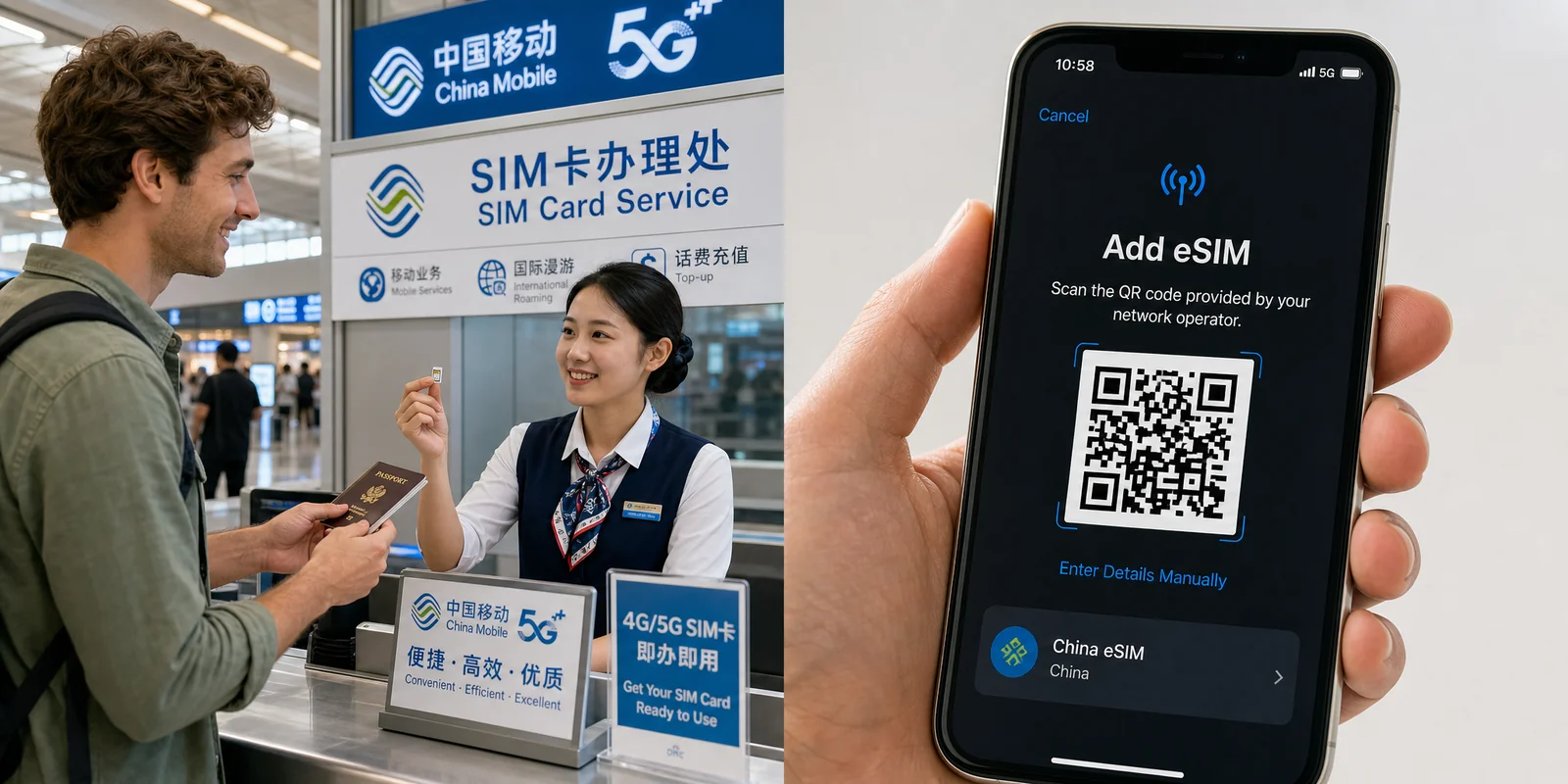
Physical SIM vs eSIM: the core trade-off
Both options work. They just solve slightly different problems.
A local physical SIM gives you a real Chinese (+86) phone number that can receive calls and SMS. That matters more than you'd expect — some apps, including WeChat, sometimes ask for SMS verification during sign-up, and a few services (food delivery, certain bookings) prefer a Chinese number. The downside: local SIMs route through China's network, so blocked services like Google, Gmail, WhatsApp, Instagram, and YouTube won't load unless you also run a VPN.
A travel eSIM (from providers like Airalo or Holafly) is almost always data-only — no Chinese number, no SMS. But because it connects via international roaming, your traffic exits through a gateway outside mainland China (typically Hong Kong or Singapore), so Google, WhatsApp, and most Western apps work without any extra setup. For most short-trip tourists who mainly need maps, payments, ride-hailing, and messaging, this is the simpler path.
| Local Physical SIM | Travel eSIM | |
|---|---|---|
| Chinese +86 number | Yes | No (data only) |
| Receive SMS / calls | Yes | No |
| Reach Google / WhatsApp | Needs a VPN | Usually works automatically |
| Setup | In person, passport required | Before you fly, scan a QR code |
| Best for | Longer stays, needing a number | Short trips, hassle-free data |
Will your phone even support eSIM?
This trips people up, especially iPhone owners. iPhones sold in mainland China have no eSIM capability at all, and most Hong Kong/Macau iPhones don't either (a few older exceptions exist, like the XS and the 2020 SE). If you bought your iPhone in the US, Europe, Japan, or Korea, eSIM works fine. According to Airalo's device support list, you can check your exact model before relying on an eSIM.
For Android, eSIM support varies by model and region — check your phone's settings for an "Add eSIM" or "Download SIM" option, or look up your model. If your phone is eSIM-incompatible, go with a physical SIM.
Option 1: Buying a local physical SIM
As a foreign visitor, you can buy a tourist SIM with your passport. China has a real-name registration rule for all SIM cards — in place since 2010 — so you must present your original passport in person to register the line. The regulations explicitly accept foreign passports, and the Shanghai municipal education service recommends bringing a passport valid for at least six more months.

The three carriers
There are three networks, and they aren't identical for foreigners:
- China Unicom (中国联通, Zhōngguó Liántōng) — generally the most compatible with foreign phones and stable in cities. Shanghai's official guidance specifically suggests Unicom for visitors, and recommends registering at a downtown store (more likely to handle foreign-passport registration smoothly).
- China Mobile (中国移动, Zhōngguó Yídòng) — the widest coverage, including remote and rural areas. The largest carrier by far.
- China Telecom (中国电信, Zhōngguó Diànxìn) — strong coverage in the south and often the cheaper option.
For most city-based itineraries, Unicom is the safe default. If your trip includes rural areas — say, parts of Yunnan or the Silk Road — Mobile's coverage edge can matter.
Where to buy: airport vs city store vs online
You have three channels, each with a clear trade-off:
- Airport counter — most convenient, buy and go. Plans tend to be shorter-term and priced a bit higher. Good if you want connectivity the moment you land.
- Downtown carrier store — more plans, cheaper, better for longer stays. Expect to queue, and English support is limited. Bring your passport and patience.
- Online (e.g. Trip.com) — you can compare plans in advance and pick up the SIM at the airport, which removes some guesswork.
At some airports the counters are easy to find. At Shanghai Pudong (PVG), there's a China Unicom counter near baggage belts 26–28 in T2, plus SIM counters in the arrivals hall; T1 has a 24-hour counter near Gate 9. Shanghai Hongqiao has a service desk (counter 101) in international arrivals, roughly 07:00–19:00. Xi'an Xianyang T3 and Chengdu Tianfu T1 have China Telecom counters. For other airports, check current counter locations and hours before you travel, since these change.
Typical tourist plan prices
Prices vary by carrier and channel, but here's a realistic range for airport/online tourist plans (city stores are usually cheaper):
| Duration | Rough data + minutes | Approx. price |
|---|---|---|
| 7–10 days | 20–35GB + 100–150 min | ~¥85–120 (US$12–17) |
| 15 days | 30–50GB + 200 min | ~¥125–150 (US$17–21) |
| 30 days | 50–80GB + 300 min | ~¥195–250 (US$27–35) |
For reference, China Unicom airport pricing seen via aggregators runs around ¥50 for a 7-day 30GB plan, ¥80 for 15 days/40GB, and ¥150 for 30 days/50GB. China Telecom's inbound packages are a bit pricier. Treat these as ballparks and confirm at purchase — they're not refundable, and they shift over time.
The actual purchase, step by step
- Hand over your passport for real-name registration.
- Tell the staff how many days you'll stay and your data/calls/SMS needs, then pick a plan.
- Have them install and activate the SIM on the spot.
- Before you walk away, confirm you have signal, can load a (Chinese) website, and understand how to top up and check your balance.
You top up and check balance later through WeChat, Alipay, or the carrier's own app/mini-program. China Telecom users, for example, can text "108" to 10001 or call 10001 for a usage check.
Option 2: Travel eSIM (Airalo, Holafly, others)
A travel eSIM is the least-fuss option for many visitors: buy it online, install it before you fly, and arrive with working data that reaches Western apps. No queue, no passport registration, no VPN scramble.

Why eSIMs reach Google and WhatsApp without a VPN
Here's the part worth understanding. Travel eSIM providers like to advertise a "built-in VPN" that "bypasses the Great Firewall." That's mostly marketing. What's actually happening is international roaming: your data is routed to a gateway outside mainland China — Hong Kong or Singapore — so from the network's perspective you're browsing as if you were abroad. That's why blocked apps just work. The independent eSIM database eSIMDB explains this mechanism in detail.
One nuance: the exit point can affect what's reachable. Hong Kong exits sometimes block things like TikTok or ChatGPT, while Singapore exits tend to be broader. Reports from users suggest different providers use different gateways, but this isn't officially published, so don't treat it as a guarantee.
Airalo vs Holafly: data cap vs unlimited
The two best-known providers take different approaches. Airalo sells fixed-data plans (you pay per GB). Its China eSIM is provided through China Unicom and runs on China Mobile's network including 5G — but it's data-only, no number, no SMS. Holafly sells unlimited-data plans priced per day. Note that Holafly's unlimited plans don't allow hotspot/tethering data sharing.
| Airalo (data cap) | Holafly (unlimited) | |
|---|---|---|
| Pricing model | Per GB | Per day, unlimited data |
| Example prices | ~$10 for 3GB/7d; ~$25 for 10GB/15d; ~$40 for 20GB/30d (from $4 for 1GB/3d) | $20.90 for 5d; $36.90 for 10d; $50.90 for 15d; $74.90 for 30d |
| Hotspot/tethering | Allowed | Not on unlimited plans |
| Phone number / SMS | No | No |
| Best for | Predictable, lighter use; sharing data | Heavy data users who don't want to track GB |
If your usage is light to moderate and you might want to tether a laptop or tablet, a capped Airalo plan is usually cheaper and more flexible. If you stream and don't want to think about data at all, Holafly's unlimited model fits. You can compare current plans and pricing on Airalo's China eSIM page — prices fluctuate with promotions and currency, so check at checkout.
How to install and activate an eSIM
Install it before you fly, on stable WiFi — ideally one or two days ahead. Installing is not the same as activating: the plan only starts counting (and works) once you land in China and connect to the network. Most providers email you a QR code after purchase.
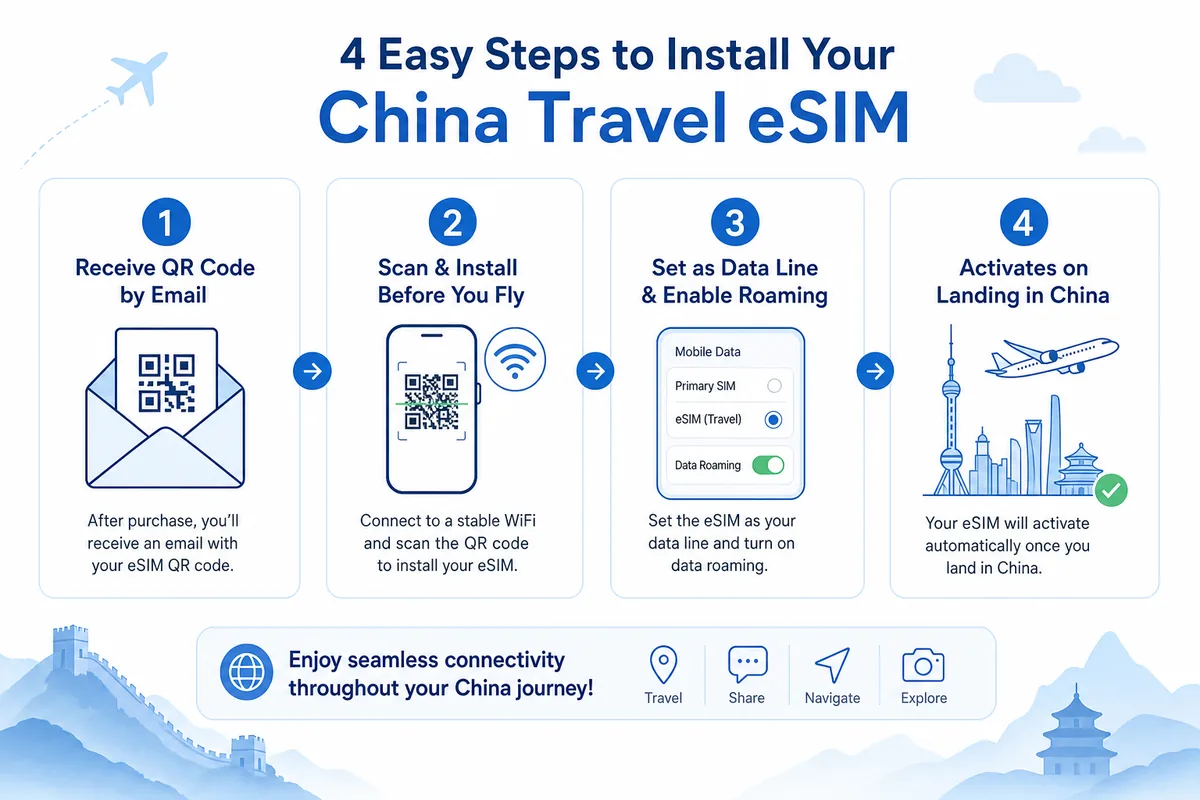
On iPhone
- Go to Settings → Cellular/Mobile Data → Add eSIM.
- Choose Use QR Code and scan the code from your provider.
- Let it activate, then set your default data line to the eSIM.
- Turn on Data Roaming for the eSIM line (this is required — it's how the roaming connection works).
On Android
- Go to Settings → Network & Internet → SIMs / SIM management.
- Tap Add eSIM / Download a SIM (the wording varies by brand).
- Scan the QR code and wait for the download to finish.
- Set the eSIM as your data line and enable Data Roaming.
What about a local eSIM from a Chinese carrier?
This changed recently. In late 2025, China's three carriers received approval for commercial eSIM phone trials, and the iPhone Air became the first iPhone usable with eSIM in mainland China (the standard iPhone 17/17 Pro/Pro Max remain physical-SIM only there, per Apple's Dual SIM and eSIM support page).
For tourists, though, this isn't a practical option yet. Carrier eSIM service must be set up in person at an official store, with real-name verification and on-site activation, and it's aimed at local users. China also enforces a "one ID, five numbers" cap. There's no clear official process for short-term foreign visitors to get a carrier eSIM, so for now, stick with an airport physical SIM or an international travel eSIM. You can see China Unicom's official eSIM service details on its eSIM page if you're curious.
A note on VPNs and the law
If you use a local physical SIM and want Google, WhatsApp, or Instagram, you'll need a VPN. Be aware that VPN use in mainland China is tightly regulated, and using consumer VPN apps as a foreign individual is something you do at your own risk. The cleaner, lower-friction path for many travelers is exactly why travel eSIMs are popular — roaming reaches those services without a separate VPN app. For the full picture, see our Internet & VPN Guide.
Which should you choose?
- Short trip, mostly need data, eSIM-capable phone → travel eSIM. Simplest, reaches Western apps, set up before you fly.
- Need a Chinese number for SMS/calls, or longer stay → local physical SIM (Unicom for cities). Cheaper per GB at downtown stores.
- Phone bought in mainland China / older device without eSIM → physical SIM.
- Want the best of both → travel eSIM for data plus your home SIM for codes, or add a cheap local SIM for a number.
Final checklist
To recap: confirm your phone supports eSIM if you're going that route; install any eSIM on stable WiFi before you fly and enable data roaming; bring your passport (valid 6+ months) if buying a physical SIM in person; remember a local SIM needs a VPN for blocked apps while a travel eSIM usually doesn't; and keep your home SIM for verification texts. Sort connectivity before or right after you land — having maps, payments, and translation working from minute one makes everything else in China far smoother.
Next, get your payment apps ready so you can actually use that data: see How to Use Alipay with Foreign Cards and our list of Must-Have Apps Before You Go.
Last updated: June 2026
Read in other languages
Last train times for 10 Chinese metro systems
Every line and station, checked by hand — the same data behind our offline route planner.
Get the WaysChina App
Offline guides, currency converter, essential phrases, and more — all in your pocket.

Related Articles
DiDi Guide: How to Use China's Ride-Hailing App as a Foreigner
DiDi is China's main ride-hailing app, and it works in English with foreign cards. Here's how to download the right...

Internet & VPN Guide for China
Google, Instagram, WhatsApp and many sites you use daily don't work in mainland China. Here's how to stay connected...

Map Apps Guide: Which Navigation App Actually Works in China
Google Maps doesn't work properly in China, but you have good options. A practical comparison of Amap, Baidu Maps,...
Must-Have Apps Before You Go: A China Travel App Guide
The apps you actually need for a China trip — payments, maps, translation, transport, and connectivity — with setup...