
This article contains affiliate links. If you make a purchase through these links, we may earn a small commission at no extra cost to you. This helps support our work in creating free travel guides.
WeChat (微信, Wēixìn) is the one app you can't really avoid in China. With around 1.4 billion monthly users, it's used for messaging, paying for almost everything, scanning restaurant menus, booking taxis, and entering the metro. For visitors, the two parts that matter most are getting an account registered (which can be slightly fussy from overseas) and linking a foreign card to WeChat Pay (which got much easier after 2023). This guide walks through both, plus the translation tools and mini-programs that make daily life smoother.

Set this up before you fly, while you still have reliable internet and time to troubleshoot. Registration in particular can stall on a busy airport Wi-Fi connection.
Step 1: Download WeChat from the right place
Get WeChat from the official site at www.wechat.com or from the App Store / Google Play before you travel. Android users already in mainland China who can't reach Google Play can download the APK directly from weixin.qq.com.
Step 2: Register your account
Each mobile number can create exactly one WeChat account, so use a number you'll keep. You don't need a Chinese (+86) number to register — your home number works as long as it can receive an SMS verification code.
Open the app, tap Sign Up, enter your name, phone number, and a password, and confirm the SMS code. So far, so normal. The catch comes next.
The QR-code verification step
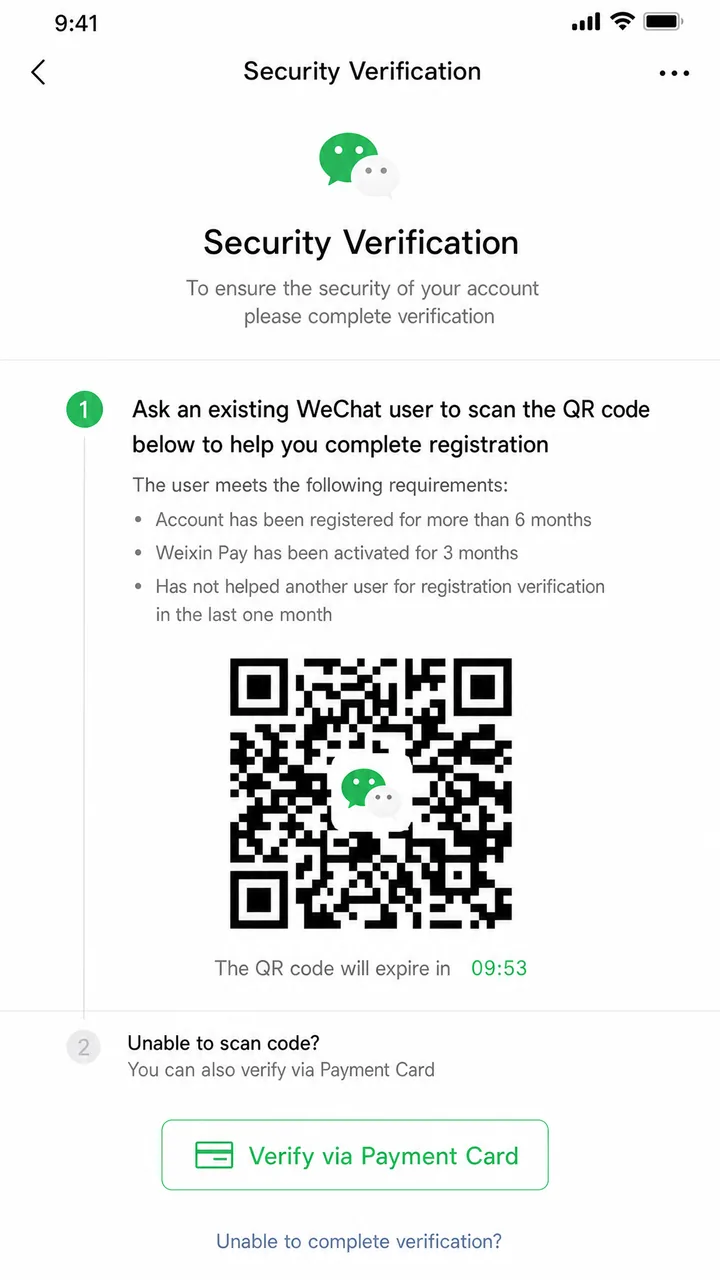
For many new overseas accounts, WeChat asks for an extra security check before activation. Usually this means an existing WeChat user has to scan a QR code on your screen to vouch for you ("assisted registration"). If no one is nearby, you may instead be able to verify via a payment card by tapping Verify via Payment Card.
Not every WeChat user qualifies to help you. According to guidance compiled from WeChat's own rules, the person scanning your code generally must:
- Have had their account for over 1 month (international users) or over 6 months (mainland users)
- Not have helped anyone else register in the past month (and no more than 3 people per year)
- Not have been blocked in the past month
- If they're a mainland user, have WeChat Pay activated
The QR code is dynamic and expires about 3 minutes after it's generated, so have the helper ready before you start. A friend who already uses WeChat is the easiest option — ask them before you leave home.
Step 3: Switch the interface to English
WeChat supports many languages. To change it, go to Me (我) > Settings (设置) > General (通用) > Multilanguage and pick English. The official WeChat Help Center has the full path if your menus start in Chinese — the icons stay in the same positions regardless of language, so you can follow along by location.
Step 4: Set up WeChat Pay with a foreign card
This is the part most travelers care about. Since July 2023, WeChat Pay fully opened its merchant network to foreign cards, so you can pay at most mainland shops, restaurants, hotels, and transport without a Chinese bank account.
What you need
- An international card: Visa, Mastercard, Discover Global Network, JCB, Diners Club, or UnionPay are supported. American Express appears on some official lists but not others — check whether it works in-app before relying on it.
- A valid ID document: passport, PRC Foreign Permanent Resident ID Card, Mainland Travel Permit, or a Residence Permit for Hong Kong / Macau / Taiwan residents.
How to add the card
- Update WeChat to the latest version and sign in.
- Go to Me > Pay and Services (or Settings > General > Tools) > Wallet.
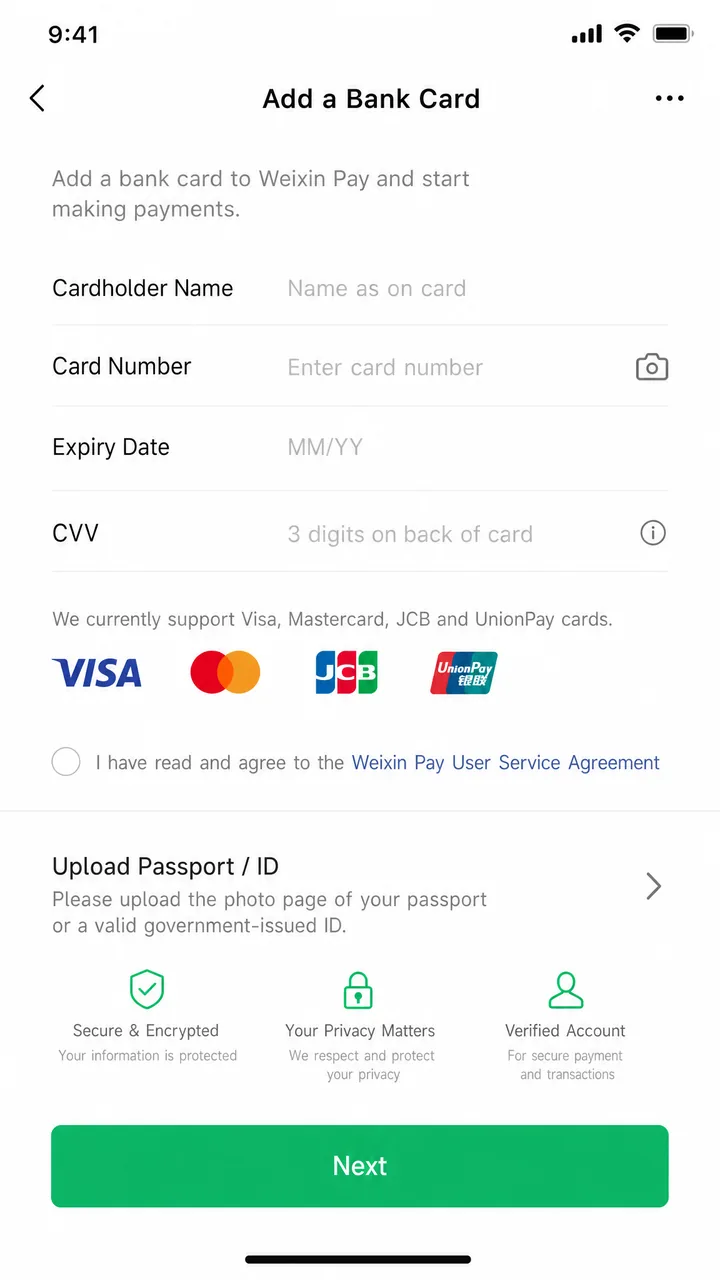
- Tap Bank Cards > Add a Bank Card, agree to the Weixin Pay User Service Agreement and Privacy Policy.
- Fill in your identity information (you may be asked to upload your passport).
- Enter your card details and complete the SMS verification.
- Set a 6-digit payment password. Done.
The full official walkthrough is on the WeChat Help Center guide to international cards.
Fees and limits
Foreign-card payments aren't completely free. Here's the structure as published by WeChat and confirmed by Beijing's municipal government:
| Transaction amount | WeChat Pay fee |
|---|---|
| 200 RMB or less (single transaction) | No fee |
| Above 200 RMB (single transaction) | 3% of the full amount |
According to the Beijing municipal government, first-time international-card users have had a promotion waiving the 3% fee on daily transactions under 1,000 RMB for 60 days from first use (up to 30 RMB saved per transaction). Promotions are time-limited, so check whether it's still running when you travel.
One more thing worth knowing: with a foreign card and no completed real-name verification (实名认证), you generally can't send red packets (红包), transfer money to other users, or top up your Change (零钱) balance. Everyday purchases — dining, transport, hotels, shops, attractions — all work fine. For a deeper dive comparing payment apps, see our guide on how to use WeChat Pay with foreign cards.
Step 5: Translate messages and menus
WeChat's built-in translation is genuinely useful day to day.
- Messages: tap and hold a Chinese message, then choose Translate. Set your target language under Me > Settings > General > Translation.
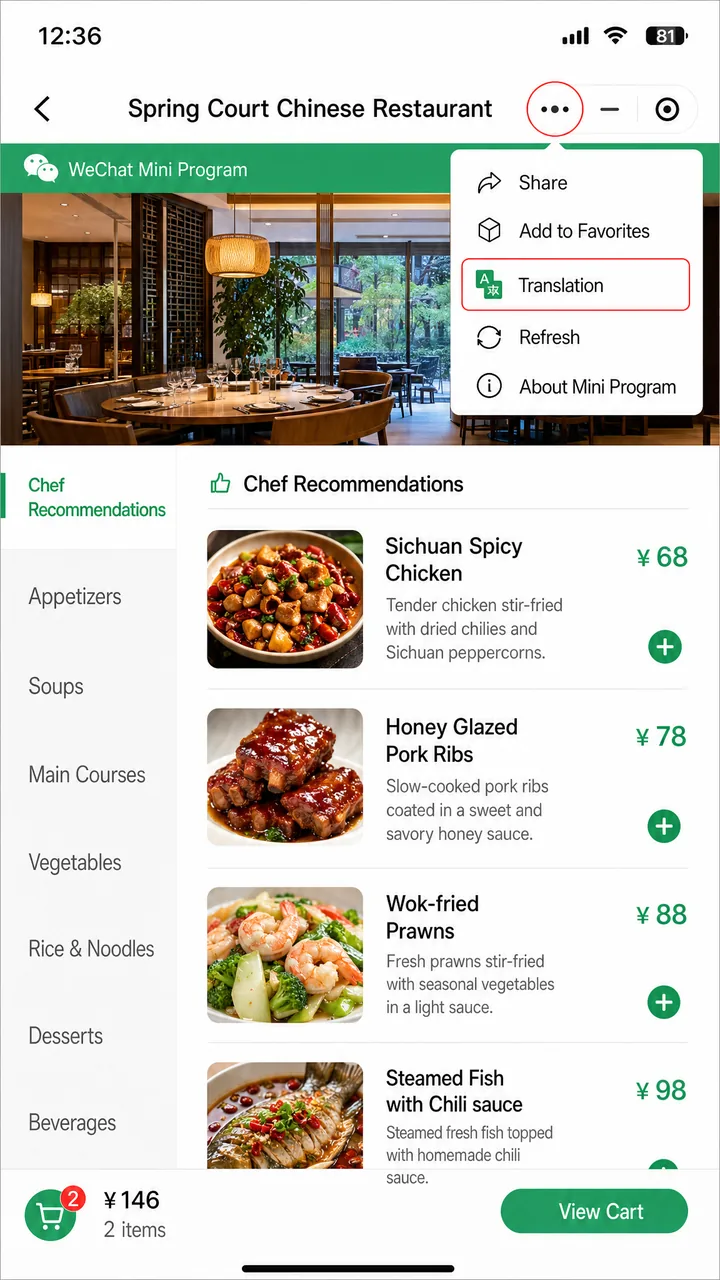
- Mini-program menus: since late 2024, open a mini-program, tap the three-dot icon (top right), and select Translation. It supports 18 languages, including English, Japanese, Korean, Spanish, and more.
A practical upshot, noted by Shanghai's government info service: if your WeChat system language is set to English, scanning a restaurant's QR-code menu often displays it in English automatically. Shanghai's official guide to using WeChat like a local covers more of these features.
Step 6: The mini-programs travelers actually use
Mini-programs (小程序) are apps that run inside WeChat — no separate download, and the in-WeChat versions often skip the Chinese phone verification that the standalone apps demand. Find them by pulling down on the chat screen, or via Discover > Mini Programs and searching.
| Mini-program | What it's for |
|---|---|
| DiDi (滴滴出行) | Ride-hailing — China's main alternative to taxis |
| Meituan (美团) | Food delivery, restaurant deals, attraction tickets |
| Ctrip (携程) | Trains, hotels, and flights |
| SF Express (顺丰速运) | Sending parcels and luggage |
English support inside these varies, so don't assume every screen is translated. For ride-hailing specifically, our DiDi guide walks through booking step by step.
The Transit QR Code (乘车码) for metro and bus
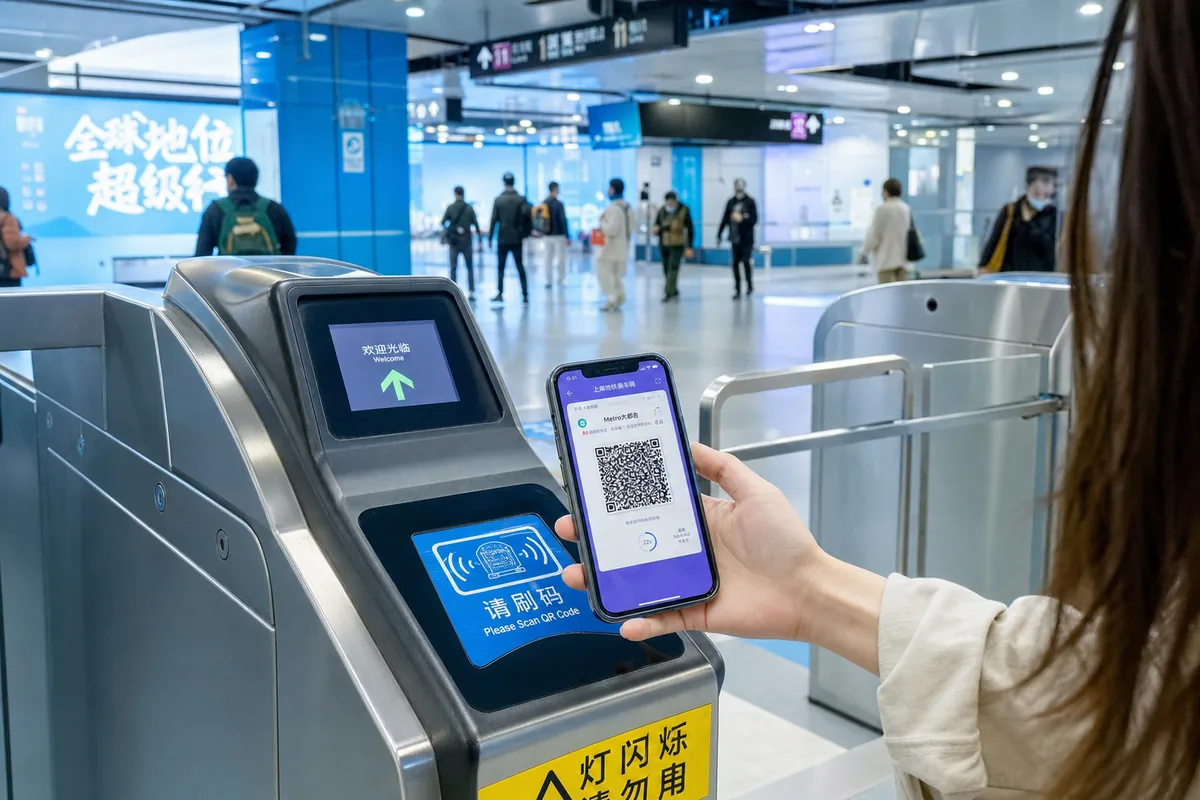
In the City Services menu, select your current city, tap Transport (出行) > Transit QR Code (乘车码), activate it, and authorize a payment method. Scan it at metro turnstiles or bus readers. On the metro you must use the same code to enter and exit. It works in major cities like Beijing, Shanghai, Guangzhou, Chengdu, and Chongqing, but isn't available everywhere for foreigners — confirm for your specific destination. For the bigger picture, see our Metro Systems Guide.
Real-time location sharing
Traveling in a group through a crowded site? In any chat, tap + > Location > Real-Time Location to share and track where everyone is. It's one of the most underrated features for families.
Common problems and fixes
My registration keeps failing
Disconnect any VPN, switch to a stable Wi-Fi or mobile connection, and confirm you're on the official app. If it still asks for QR verification and you have no helper nearby, try the payment-card verification option.
My card won't link
Double-check the card brand is supported, that your card allows international online transactions, and that the name matches your ID. Some banks block the first attempt as suspicious — call your bank if a charge gets declined.
Who do I contact for payment issues?
WeChat Pay's hotline is 95017 within mainland China, or +86 571 95017 from abroad. Business queries go to [email protected] (Mon–Fri, 9:00–18:00 GMT+8), per the official WeChat Pay site.
Quick recap
Install the official WeChat before you fly, register with a number that can receive SMS, and line up a WeChat-using friend to scan the verification QR code if asked. Switch the interface to English, then add your Visa, Mastercard, or other supported card to WeChat Pay — payments under 200 RMB are fee-free, larger ones carry a 3% fee, and red packets stay locked without real-name verification. From there, the translation tools and mini-programs (DiDi, Meituan, Ctrip, the Transit QR Code) cover most of what you'll need on the ground. Set it all up at home with good internet, and arrival day is just about tapping to pay. WeChat and Alipay overlap heavily, so many travelers set up both as a backup.
Related reading
- How to Use Alipay with Foreign Cards — the other payment app worth having
- Must-Have Apps Before You Go — what else to install
- Internet & VPN Guide — staying connected in China
- China SIM Card & eSIM Guide — getting a number that works for verification
- Translation Apps Comparison — beyond WeChat's built-in tools
Last updated: June 2026
Read in other languages
Last train times for 10 Chinese metro systems
Every line and station, checked by hand — the same data behind our offline route planner.
Get the WaysChina App
Offline guides, currency converter, essential phrases, and more — all in your pocket.

Related Articles
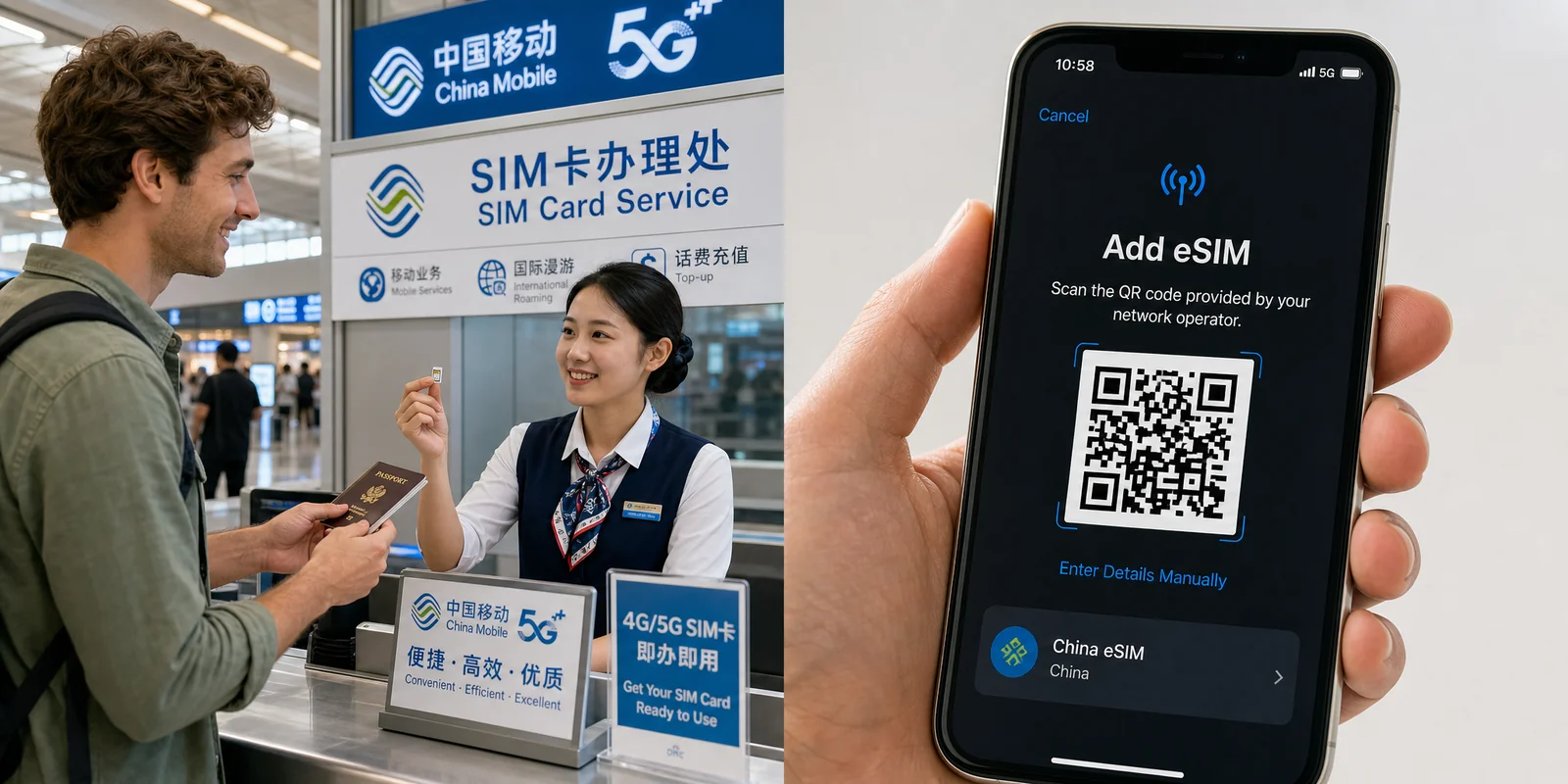
China SIM Card & eSIM Guide
How to stay connected in China as a tourist: physical SIM vs travel eSIM, where to buy at the airport or online,...

DiDi Guide: How to Use China's Ride-Hailing App as a Foreigner
DiDi is China's main ride-hailing app, and it works in English with foreign cards. Here's how to download the right...

Internet & VPN Guide for China
Google, Instagram, WhatsApp and many sites you use daily don't work in mainland China. Here's how to stay connected...

Map Apps Guide: Which Navigation App Actually Works in China
Google Maps doesn't work properly in China, but you have good options. A practical comparison of Amap, Baidu Maps,...