
This article contains affiliate links. If you make a purchase through these links, we may earn a small commission at no extra cost to you. This helps support our work in creating free travel guides.
China runs on smartphone apps to a degree that surprises most first-time visitors. You'll pay for street food, hail a taxi, ride the metro, and translate a menu — all from your phone. The catch is that the Chinese app ecosystem barely overlaps with the one you use at home, and a few of the apps you rely on every day may not work reliably once you arrive. This guide walks through the essential apps for a China trip, what each one does, and — crucially — which ones to download and set up before you land, while you still have easy access to your usual app stores and a stable connection.

Why You Need to Prepare Apps Before You Arrive
Two things make app prep worth doing in advance. First, some Western services many travelers depend on for maps, messaging, and search behave inconsistently inside mainland China, so you don't want to be troubleshooting from a hotel lobby on day one. Second, the most important local app — a mobile payment app — works far more smoothly if you register and link your card while you're still home. Setting up on arrival is possible but slower, especially if verification needs to catch up with you.
The good news: the core setup takes well under an hour, and most of these apps now have solid English-language versions aimed at foreign visitors. You don't need to read Chinese to use them.
The Categories That Matter
You don't need dozens of apps. For most travelers, the essentials fall into five buckets:
- Payments — how you'll actually buy things
- Maps & navigation — getting from A to B
- Translation — reading menus, signs, and talking to people
- Transport — ride-hailing, trains, and metro
- Connectivity — staying online in the first place
We'll go through each, then pull it all together into a single download checklist and a comparison table.
1. Payment Apps: Start Here
Almost everything in China runs on QR code payments — restaurants, convenience stores, taxis, market stalls, even some vending machines. Cash is still legally accepted and works at hotels and larger shops, but you'll have a noticeably easier trip if you set up a mobile wallet. For foreign visitors, the two options are Alipay (支付宝, Zhīfùbǎo) and WeChat Pay (微信支付, Wēixìn Zhīfù).
Alipay (支付宝)
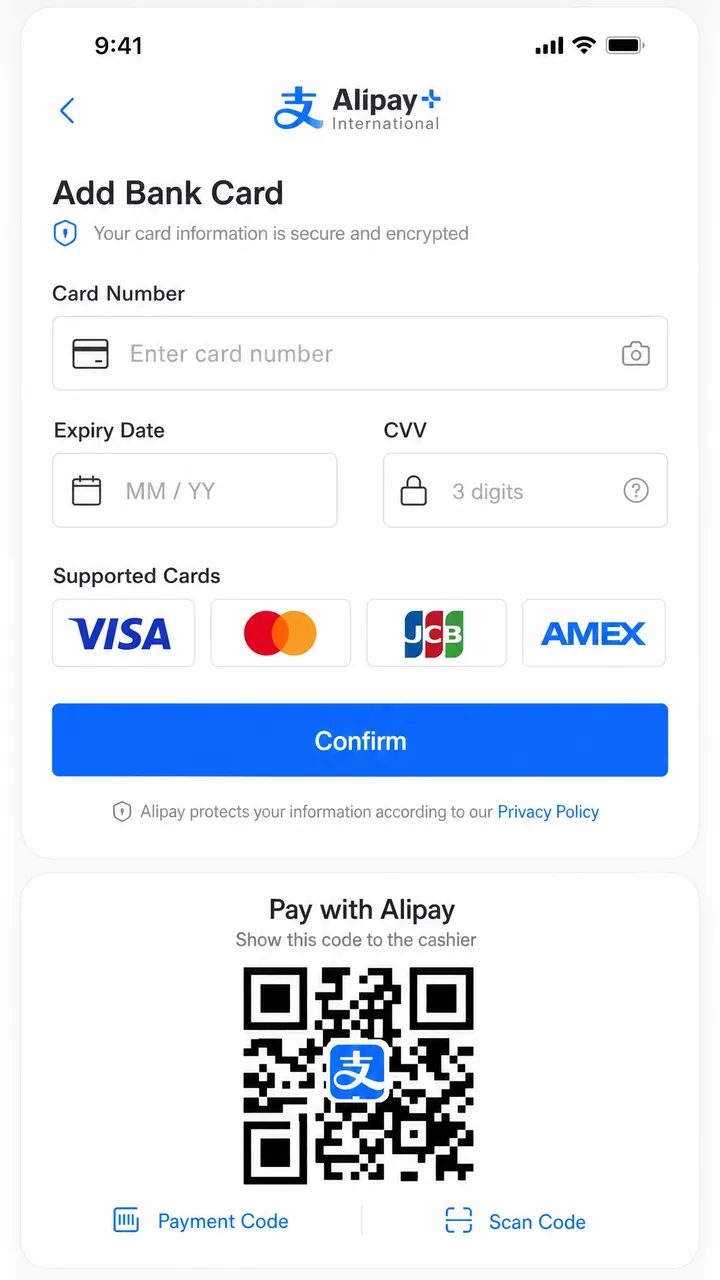
Alipay is the most foreigner-friendly choice and the one we'd set up first. When you download and install it from outside mainland China, the app defaults to its International Version and to English automatically. You register with your phone number, choose the International Version, and link an international card — Visa, Mastercard, JCB, Discover, Diners Club, and American Express are all supported. From there you pay by scanning a merchant's QR code or showing your own payment code.
According to Alipay's official guidance for paying in the Chinese mainland, the app also bundles in extras built for visitors: in-app translation, currency conversion, and the ability to book flights and hotels, ride taxis, and use public transport. It's less a single payment tool than a travel hub.
There are two ways to fund payments, and the fees differ:
- Linking an international card directly. Single transactions are capped at roughly ¥35,000 (about USD 5,000). A 3% fee applies to transactions, but payments of ¥200 and under are free of that fee — which covers the vast majority of everyday spending like meals and taxis.
- Tour Pass / TourCard. This is a prepaid digital card for visitors, provided by Bank of Shanghai. You top it up (top-ups run ¥100–¥10,000), and the prepaid card is valid for 90 days, with any remaining balance automatically refunded when it expires. Note that a service fee is charged on each top-up — reported at 5% per top-up by third-party sources, so confirm the current rate in-app before you load money.
For most travelers, linking a card directly and letting the under-¥200 fee waiver cover small purchases is the simplest approach. We cover the full walkthrough — screen by screen — in our dedicated guide.
WeChat Pay (微信支付)
WeChat (微信, Wēixìn) is China's all-in-one messaging app, and WeChat Pay is its built-in wallet. Many travelers use WeChat primarily to message friends, businesses, and tour contacts in China, since it's how nearly everyone here communicates. You can also link a foreign card to WeChat Pay for QR payments, though the specific fee structure and any fee-free thresholds for foreign cards shift over time — check the latest terms in the app before you travel rather than assuming a particular rate.
You don't strictly need both wallets. If you only set up one, make it Alipay. But having WeChat installed is useful regardless, simply for staying in touch.
Setting up the metro ride code
One underrated feature: Alipay can generate a transit QR code for the metro and buses in many cities. On the home screen you find the transport (出行) icon, select your city, agree to the terms and link a card, then scan the same QR code to enter and exit stations. It saves buying paper tickets at every station — though coverage varies by city, so check whether your destination is supported.
2. Maps & Navigation
Navigation is where many visitors get tripped up, because the mapping apps you use at home don't all perform equally well in China. Local apps like Amap (高德地图) and Baidu Maps (百度地图) have the most accurate, up-to-date data for the country — including transit directions and real-time information — but their English support is uneven. Some travelers manage fine with international map apps for basic walking and metro navigation; others prefer a local app for door-to-door directions and taxi pickups.
Because the practical experience depends on which app, which city, and which version you're using, it's worth reading a focused comparison before you decide. Our map apps guide breaks down what actually works for foreign visitors, including English-language usability.
For planning metro routes and a day-by-day schedule across major cities, the WaysChina app offers offline metro maps with transfer and route planning, plus a built-in trip planner where you can lay out attractions on a timeline and save your itinerary. It's an offline planning helper rather than a live-navigation replacement — handy for working out how you'll get around before you're standing at the station.
3. Translation Apps
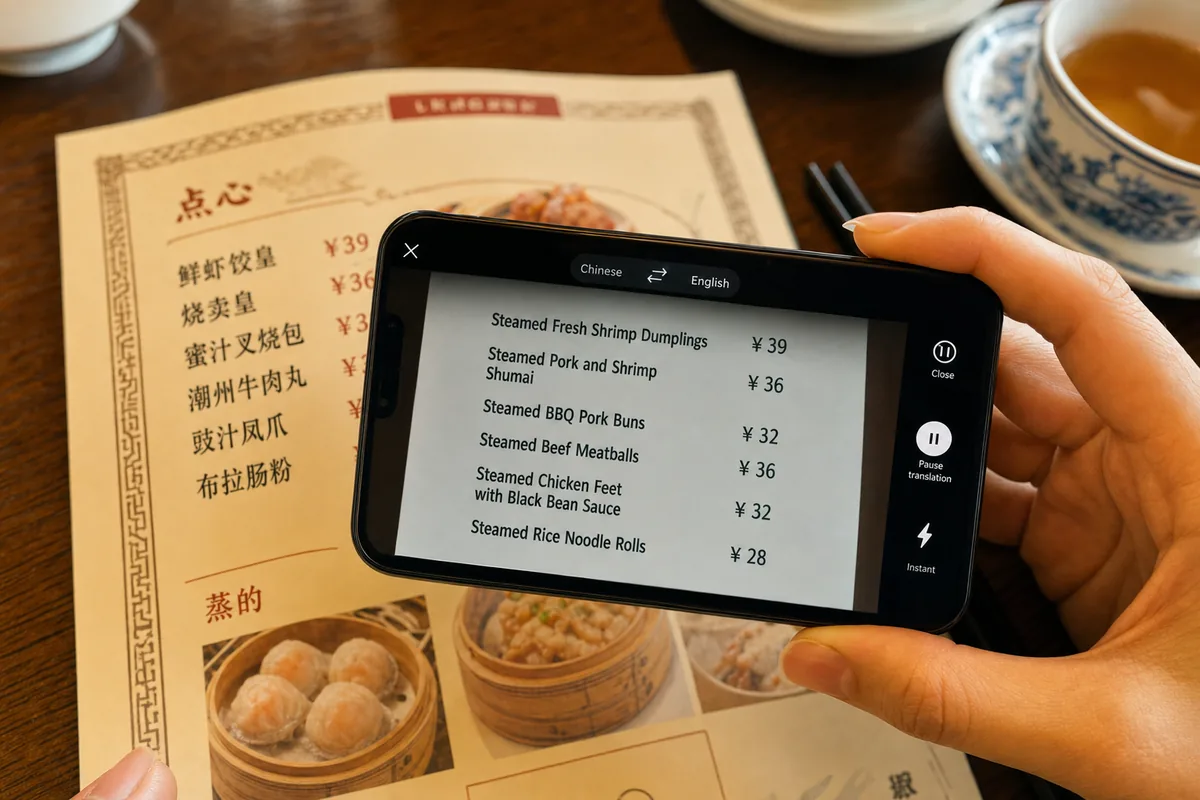
English is common in big-city hotels and major attractions, but far less so on menus, in smaller restaurants, at neighborhood shops, and with taxi drivers. A translation app closes that gap fast. The features that matter most for a China trip are:
- Camera translation — point your phone at a menu or sign and read it in English
- Voice/conversation mode — for back-and-forth with someone who speaks no English
- Offline language packs — so the app works without a connection
Alipay's built-in translation handles quick lookups, but a dedicated translation app is more capable for camera and conversation use. Since the best choice depends on your home language and whether you need offline support, we compare the leading options separately.
4. Transport Apps
Ride-hailing
DiDi (滴滴) is China's dominant ride-hailing app — think of it as the local equivalent of the apps you use at home. It has an English-language interface, and it's often easier than hailing a street taxi when you can't communicate your destination verbally, since you enter it on the map. How you pay and the exact setup steps are worth getting right in advance; our DiDi guide covers it.
Train tickets
For intercity travel, China's high-speed rail network is booked through 12306, the official railway ticketing platform. The system has expanded its support for foreign passport holders, but registration and payment can be fiddly, and the process changes periodically. We'd recommend reading our step-by-step booking guide and checking the official 12306 platform for current rules on foreign-passport registration before you buy.
Metro
As noted above, you can often ride the metro using a QR code generated in Alipay. Some cities also have their own official metro apps with English options, and there are third-party transit apps that cover multiple cities. For a single trip, the Alipay ride code is usually the path of least resistance.
5. Connectivity: Getting Online in the First Place
None of these apps help if you can't get online. You have three broad options:
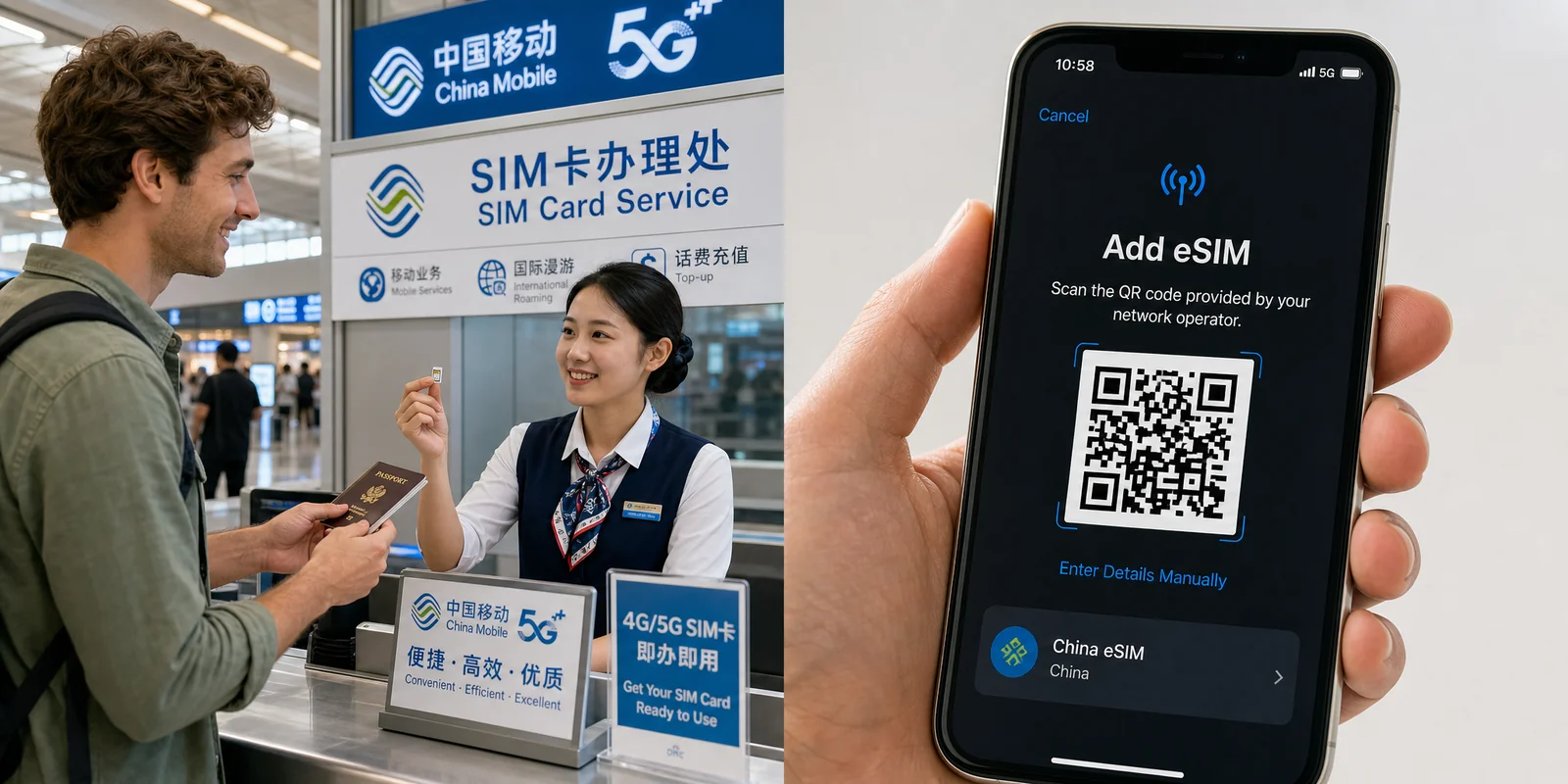
- eSIM — buy a China data plan before you fly and activate it on arrival, with no physical SIM swap. Providers like Airalo sell tourist data eSIMs you can install in advance, which is convenient if your phone supports eSIM.
- Physical SIM card — bought from a Chinese carrier on arrival (requires passport registration) or sometimes in advance from a travel retailer.
- International roaming — simplest but often the most expensive; check your home plan's China rates.
We go deeper on the trade-offs, coverage, and setup in our dedicated SIM and eSIM guide. The key point for app prep: arrange your connectivity so that you're online from the moment you land, not hunting for a counter in the arrivals hall.
What to Download Before You Fly: The Checklist
- Alipay — install, register, link your card, and test it opens. Set up the metro ride code if your city is supported.
- WeChat — install and create an account; optionally link a card to WeChat Pay.
- A translation app — install and download offline language packs.
- A map app — install and download offline maps for your destination cities.
- DiDi — install if you expect to use ride-hailing.
- Connectivity sorted — eSIM installed, SIM arranged, or roaming confirmed.
Do the payment setup first and earliest, since it's the one most likely to need verification time.
App Comparison at a Glance
| App | Purpose | English support | Set up before arrival? | Notes |
|---|---|---|---|---|
| Alipay | Payments, transit, translation, bookings | Yes (defaults to English abroad) | Strongly recommended | Most foreigner-friendly; links Visa/Mastercard/etc. |
| WeChat / WeChat Pay | Messaging + payments | Yes | Recommended | Essential for communicating with contacts in China |
| Translation app | Camera, voice, text translation | Yes | Yes (download offline packs) | Closes the menu/sign gap fast |
| Map app | Navigation, transit directions | Varies by app | Yes (download offline maps) | Local apps have best data; English support uneven |
| DiDi | Ride-hailing | Yes | Optional | Easier than street taxis when you can't speak Chinese |
| 12306 | High-speed train tickets | Improving | Optional | Official platform; check current foreign-passport rules |
| eSIM / connectivity | Getting online | n/a | Yes | Arrange before you land |
Our Recommendation
If you do nothing else, set up Alipay with a linked card and sort out your connectivity before you fly — those two cover the most ground and are the most awkward to fix on arrival. Add WeChat for communication, a translation app with offline packs, and a map app with offline maps downloaded. Install DiDi if you'll be taking taxis often, and read up on 12306 if you're taking trains between cities.
That's genuinely all most travelers need. From there, dig into the specific guides below for the screen-by-screen setup on the apps you'll lean on most. Spending half an hour on this before you leave home turns the on-the-ground experience from confusing into seamless.
Related Reading
- How to Use Alipay with Foreign Cards
- WeChat Setup Guide
- Translation Apps Comparison
- Map Apps Guide
- China SIM Card & eSIM Guide
- Internet & VPN Guide
Last updated: June 2026
Read in other languages
Last train times for 10 Chinese metro systems
Every line and station, checked by hand — the same data behind our offline route planner.
Get the WaysChina App
Offline guides, currency converter, essential phrases, and more — all in your pocket.

Related Articles
China SIM Card & eSIM Guide
How to stay connected in China as a tourist: physical SIM vs travel eSIM, where to buy at the airport or online,...

DiDi Guide: How to Use China's Ride-Hailing App as a Foreigner
DiDi is China's main ride-hailing app, and it works in English with foreign cards. Here's how to download the right...

Internet & VPN Guide for China
Google, Instagram, WhatsApp and many sites you use daily don't work in mainland China. Here's how to stay connected...

Map Apps Guide: Which Navigation App Actually Works in China
Google Maps doesn't work properly in China, but you have good options. A practical comparison of Amap, Baidu Maps,...