
This article contains affiliate links. If you make a purchase through these links, we may earn a small commission at no extra cost to you. This helps support our work in creating free travel guides.
If you fly into mainland China and connect to local WiFi or a local SIM, you'll find that Google, Gmail, Google Maps, Instagram, WhatsApp, Facebook, YouTube, X, and a long list of other services simply don't load. This is the Great Firewall (防火长城, fánghuǒ chángchéng) at work — China's national system for filtering international internet traffic. The good news: getting around it is manageable if you prepare before you arrive. The bad news: if you wait until you land, downloading the tools you need becomes much harder. This guide covers what's blocked, your realistic options for staying connected, where VPNs fit in (and the legal gray area around them), and a few things travelers consistently get wrong.

What's actually blocked in China
The list is long — a 2020 study found the Great Firewall blocked roughly 311,000 domains, according to Wikipedia's overview of the Great Firewall. For most travelers, though, the blocks that matter fall into a few familiar buckets.
Google services (all of them)
Google has been fully blocked in mainland China since 2014. That means Search, Gmail, Google Maps, Google Drive, Google Calendar, Google Photos, and the Google Play Store. If your phone, email, or navigation depends on Google, this is the single biggest thing to plan around.
Social media and messaging
Facebook, Instagram, X (Twitter), YouTube, WhatsApp, Telegram, Messenger, Snapchat, Reddit, LinkedIn, Pinterest, Tumblr, and Quora are all blocked. WhatsApp in particular catches a lot of people off guard, since it's the default messaging app across Europe, Latin America, and much of Asia.
News, reference, and AI tools
Wikipedia has been blocked across all language editions since April 2019. Most Western news sites are blocked or unreliable. ChatGPT and most foreign AI services can't be reached directly without a VPN.
What still works
A few international services are accessible without any workaround:
- Bing works, but redirects to the China version (cn.bing.com) and censors Simplified Chinese results.
- Apple Maps works without a VPN because it complies with Chinese regulations — genuinely useful for navigation.
- Zoom and Indeed are currently accessible.
Your three options for staying connected
There are basically three ways to get a usable internet connection in China, and they're not equally good. Here's the honest comparison.
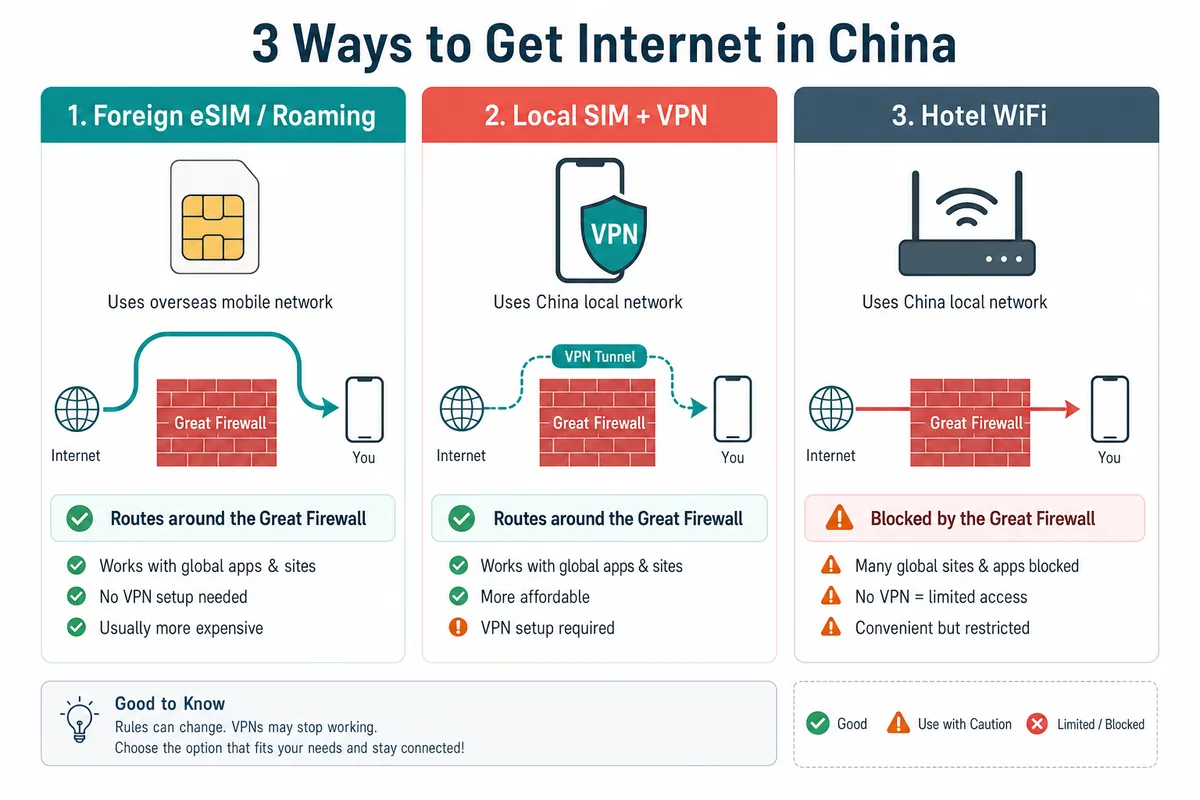
| Option | Reaches blocked sites? | Setup difficulty | Best for |
|---|---|---|---|
| Foreign eSIM / international roaming | Yes (routes through servers outside China) | Easy — set up before you fly | Most short-stay travelers |
| Local SIM + VPN | Only with a working VPN | Moderate — VPN must be installed before arrival | Longer stays, heavy data users |
| Hotel WiFi + VPN | Only with a working VPN | Easy connection, unreliable results | Backup only |
Option 1: Foreign eSIM or international roaming (the easy way)
This is the option most travelers underestimate. A travel eSIM from your home country, or international roaming on your existing plan, routes your data through servers outside mainland China. Because that traffic doesn't originate inside the country, it never hits the Great Firewall — so Google, WhatsApp, Instagram, and the rest just work, with no VPN required.
This surprises people, but the mechanism is straightforward: roaming traffic is carried back to a network outside China before it reaches the open internet. A travel eSIM provider like Browse Airalo China eSIM plans lets you buy and install a China-capable data plan before you leave home, activate it when you land, and skip the whole VPN question for everyday browsing.
Option 2: Local SIM card plus a VPN
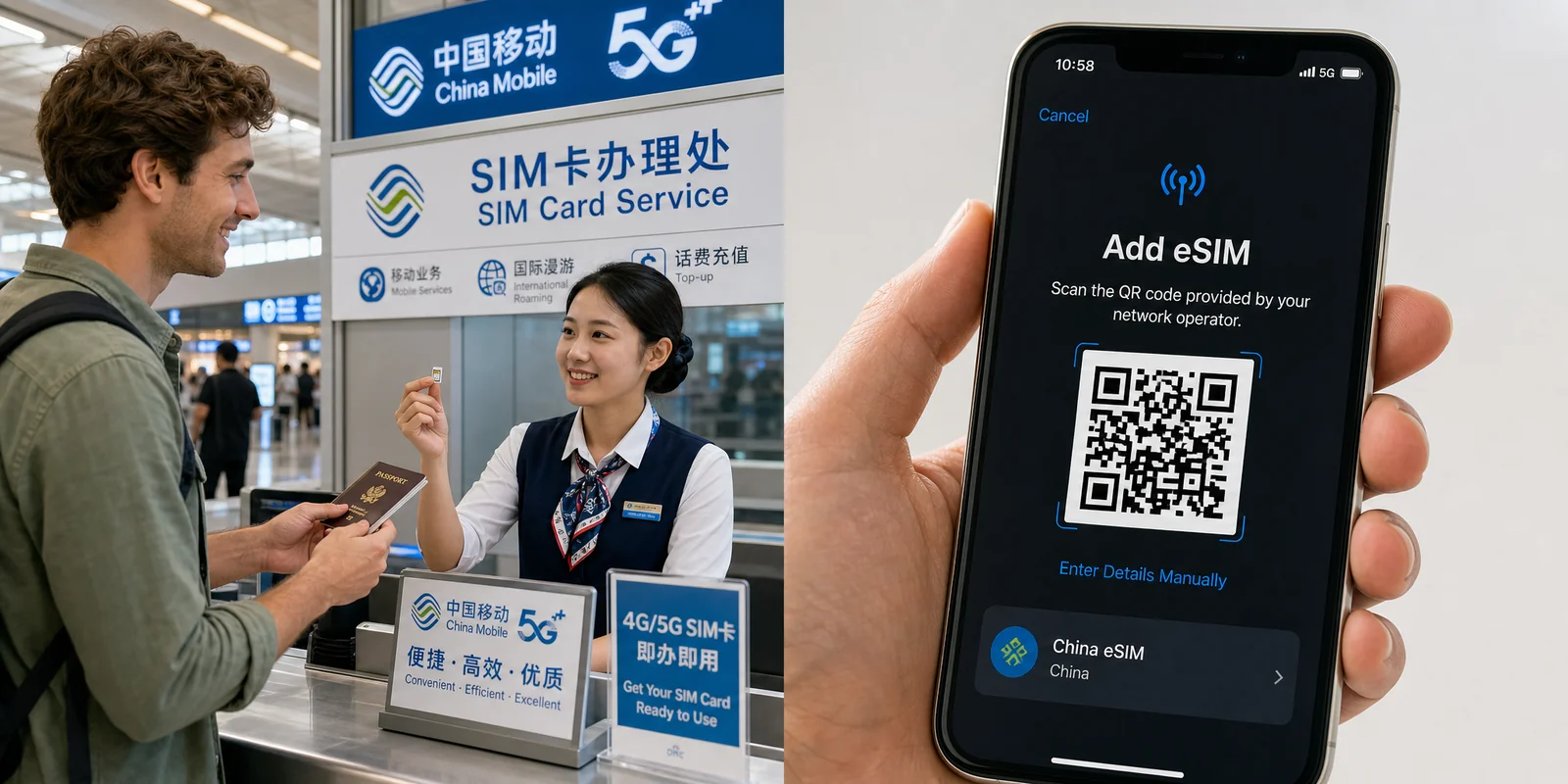
If you want a local Chinese number (handy for some apps and longer stays) or cheaper large data bundles, you'll buy a SIM from one of the three carriers: China Mobile, China Unicom, or China Telecom. China Unicom usually works best for foreign travelers in cities because it's compatible with more foreign phones; China Telecom has the strongest coverage in the west (Tibet, Xinjiang, rural Sichuan).
Buying a SIM requires real-name registration: you must show your original passport (photocopies are not accepted), and since December 2019 the process includes facial-recognition verification. Bring a passport with at least six months of validity and go to a city-center branch, where staff are more likely to handle foreign-passport registration. The official Shanghai education portal has a clear walkthrough of the process in its guide to getting a SIM card in China.
Because a local SIM sits behind the firewall, you'll need a working VPN to reach blocked services — which brings us to the next section. For a deeper walkthrough of carriers, plans, and eSIM setup, see our China SIM Card & eSIM Guide.
Option 3: Hotel WiFi (backup only)
Hotel WiFi in China is still subject to the Great Firewall, often has extra restrictions, and slows to a crawl at peak times. It's fine for checking a local map or messaging through a Chinese app, but don't rely on it to reach blocked sites — even with a VPN, results are inconsistent.
VPNs: what they do and the legal gray area
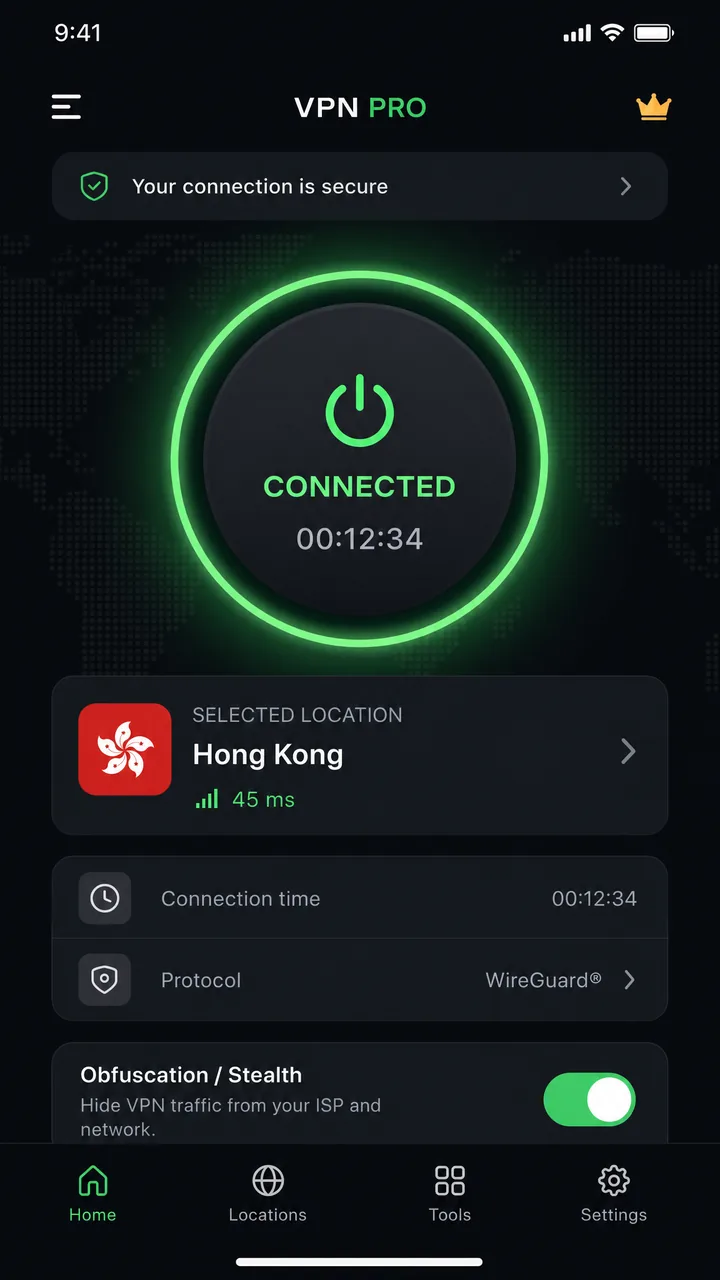
A VPN (Virtual Private Network) routes your traffic through an encrypted tunnel to a server outside China, letting you reach blocked sites on a local connection. For longer stays or anyone using a local SIM, a VPN is the standard solution. But there are two things you absolutely need to understand first.
The legal situation, honestly
This is more nuanced than scary headlines suggest. The legal foundation is a 1996 regulation (revised 1997) requiring all international internet connections to use state-approved channels — individuals and organizations can't set up or use other channels. In 2017, the Ministry of Industry and Information Technology (MIIT) issued a notice requiring approval for cross-border VPN services.
Crucially, MIIT clarified at a 2019 government press conference that these rules target unlicensed companies operating VPN services illegally — not ordinary individuals and businesses accessing the internet for legitimate cross-border purposes. You can read the official statement on the Chinese government's record of the MIIT press conference. In practice, only the three big state carriers can legally provide cross-border VPN lines.
So where does that leave a tourist? In a gray area. There's no explicit legal exemption for foreigners, and individual penalties do exist — in one 2019 case in Guangdong, a man was warned and fined 1,000 yuan for using a VPN app. But enforcement against individuals is rare and light; the real targets are people selling unauthorized VPNs commercially, where penalties can be serious. Reports of tourists being penalized for personal VPN use are essentially nonexistent.
Why you MUST install it before you arrive
This is the mistake that strands people. Once you're in China, VPN provider websites are usually blocked, and the app stores are unreliable — Google Play is blocked outright, and the Apple App Store has removed VPN apps from its China store before (Apple pulled hundreds of VPN apps from the China App Store in 2017, as TechCrunch reported at the time). If you land without a VPN already installed and tested, you may have no easy way to get one.
Choosing a VPN that actually works in China
Most VPNs fail in China. The Great Firewall actively detects and blocks VPN traffic using deep packet inspection, so the only ones that work reliably offer obfuscation (sometimes called "stealth") servers that disguise VPN traffic as normal HTTPS. When choosing, that feature matters more than raw speed or server count.
Based on services that testers consistently report still working, these are the usual recommendations. Prices change constantly with promotions, so confirm current rates and refund terms on each provider's site before buying.
| VPN | Approx. price | Refund | Notes |
|---|---|---|---|
| ExpressVPN | Basic plan from ~$2.79/mo (2-yr); ~$12.99 monthly | 30 days | Reliable, beginner-friendly, good support |
| NordVPN | From ~$3.09/mo (2-yr); ~$12.99 monthly | 30 days | Obfuscated servers, NordLynx protocol |
| Surfshark | From ~$1.99/mo (long-term) | 30 days | Cheap, unlimited devices; reliability varies |
| Astrill | ~$12.50/mo (2-yr) up to $30 monthly | Limited / 7 days | Expensive but built for high-censorship use |
For most travelers, Get ExpressVPN for your China trip is the easiest starting point — it's straightforward to set up, has obfuscation built in, and the 30-day money-back guarantee means you can test it risk-free before and during your trip. Astrill is the heavyweight choice if reliability matters more than price (digital nomads and long-term residents often pay up for it), but it costs several times more and has weaker refund terms.
Living without the apps you're used to
Even with a VPN, your trip goes smoother if you set up the Chinese apps that actually run the country. A VPN handles your home apps; these handle daily life:
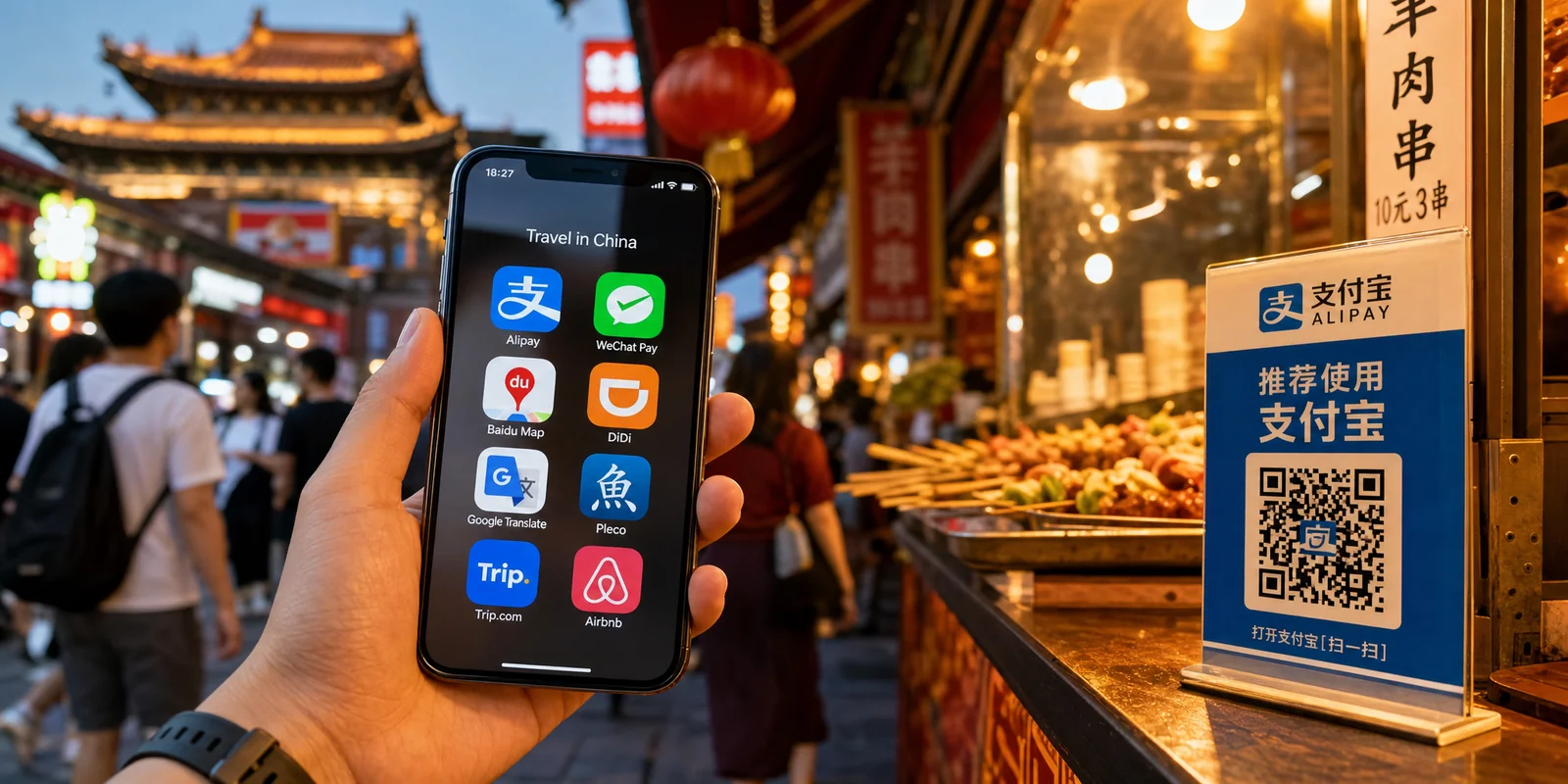
- Payments: Almost everything runs on Alipay (支付宝, Zhīfùbǎo) and WeChat Pay (微信支付, Wēixìn zhīfù). Current versions let foreign users link international Visa/Mastercard. Set this up before or right after arrival.
- Navigation: Apple Maps works without a VPN. Amap (高德地图, Gāodé dìtú) and Baidu Maps are the local standards but are Chinese-language heavy.
- Messaging: WeChat is how people communicate in China — worth installing even if you keep WhatsApp on your foreign eSIM.
For the full pre-trip app checklist, see our guide to the must-have apps before you go, and our map apps guide for navigating without Google Maps.
If your plans run through Hong Kong or Macau, note that neither special administrative region is behind the Great Firewall — Google, WhatsApp, and the rest work normally there with any connection.
Frequently asked questions
Do I even need a VPN if I have a foreign eSIM?
For everyday browsing, often no — a foreign eSIM or international roaming bypasses the firewall on its own. A VPN matters most if you're using a local Chinese SIM, hotel WiFi, or want a backup.
Will my home SIM's roaming reach Google in China?
Yes, in most cases, because roaming routes your data outside China. Confirm rates with your carrier first — roaming can be expensive — and check that your plan includes China.
Is it safe to use a VPN as a tourist?
In practice, short-term visitors using a mainstream VPN discreetly for normal purposes have very little to worry about. Enforcement targets commercial VPN sellers, not travelers checking their email. Still, the rules technically exist, so keep a low profile.
Can I buy a VPN after I arrive?
Assume you can't. Provider websites and app stores are commonly blocked inside China. Install and test everything before you fly.
What about ChatGPT and AI tools?
Most foreign AI services are blocked and need a working VPN. Their status can change, so test before relying on them for work.
The bottom line
Connectivity in China is very manageable once you know the rules. The single most important step is preparation: sort out your connection method before you board. For a short trip, a foreign eSIM or international roaming is the simplest path — it sidesteps the firewall entirely and needs no VPN. For longer stays or a local SIM, install at least one (ideally two) obfuscation-capable VPN and test them at home first. Set up Alipay and WeChat for daily life, lean on Apple Maps for navigation, and keep your expectations realistic about hotel WiFi. Do this much, and the Great Firewall becomes a minor logistics detail rather than a trip-ruining surprise.
Next steps: review the China SIM Card & eSIM Guide to pick your connection method, then run through the must-have apps checklist before you fly.
Last updated: June 2026
Read in other languages
Last train times for 10 Chinese metro systems
Every line and station, checked by hand — the same data behind our offline route planner.
Get the WaysChina App
Offline guides, currency converter, essential phrases, and more — all in your pocket.

Related Articles
China SIM Card & eSIM Guide
How to stay connected in China as a tourist: physical SIM vs travel eSIM, where to buy at the airport or online,...

DiDi Guide: How to Use China's Ride-Hailing App as a Foreigner
DiDi is China's main ride-hailing app, and it works in English with foreign cards. Here's how to download the right...

Map Apps Guide: Which Navigation App Actually Works in China
Google Maps doesn't work properly in China, but you have good options. A practical comparison of Amap, Baidu Maps,...
Must-Have Apps Before You Go: A China Travel App Guide
The apps you actually need for a China trip — payments, maps, translation, transport, and connectivity — with setup...